VR Experiences Guide 2026
The best VR experiences beyond gaming
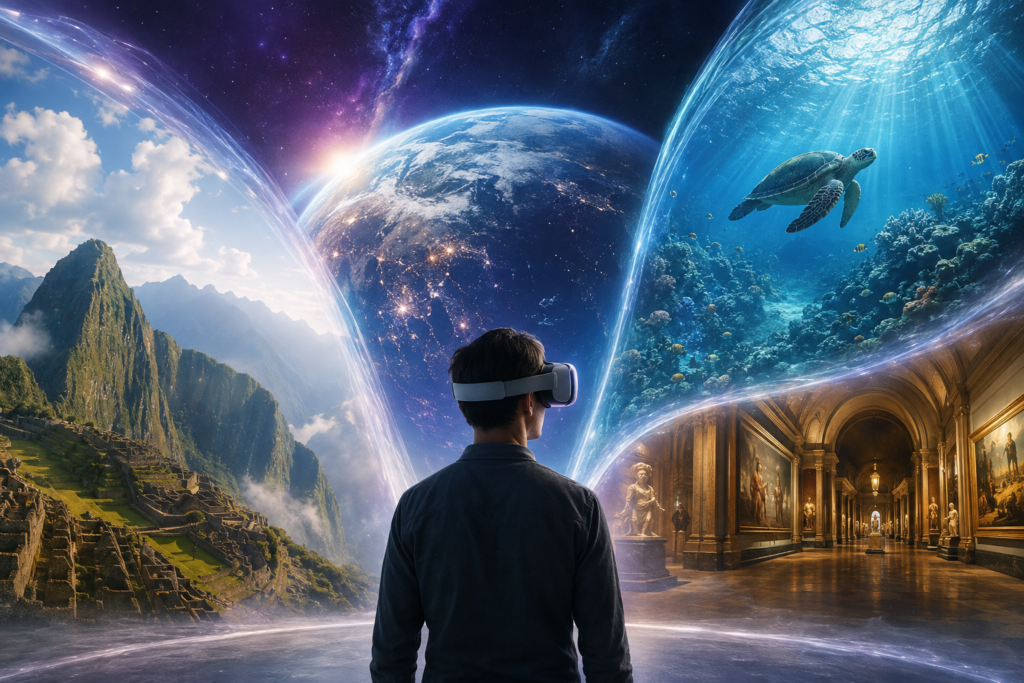
Virtual reality is not only about games. The right headset can take you across the world, into orbit, beneath the ocean, inside historic places and into a shared cinema—all without leaving home.
Our quick take: start with BRINK Traveler for realistic virtual travel, Bigscreen Beta for social cinema, or Anne Frank House VR for a powerful historical visit. Every recommendation below was selected for a clear purpose, not simply because it looks impressive in a trailer.
Best VR experiences beyond gaming: quick comparison
| Experience | Best for | What to expect |
|---|---|---|
| BRINK Traveler | Realistic travel | Walkable 3D natural locations |
| Wander | Exploring cities | Street-view journeys around the world |
| Anne Frank House VR | History | A carefully recreated Secret Annex |
| Mission: ISS | Space | Explore and work aboard the ISS |
| Ocean Rift | Nature | An underwater wildlife safari |
| Bigscreen Beta | Films and social VR | Private and shared virtual cinemas |
| YouTube | Accessible video | Immersive, 360° and flat-screen viewing |
| TRIPP | Relaxation | Guided meditation and calming worlds |
| WONDERS | Learning | Guided visits to world landmarks |
1. BRINK Traveler — best for realistic virtual travel
BRINK Traveler focuses on high-quality, room-scale recreations of striking natural places. The official listing describes dozens of immersive 3D environments with walkable areas, so it feels more like standing at a viewpoint than watching a conventional 360° video. It is a strong first download for showing family and friends why VR can feel genuinely transporting.
Best for: scenery, armchair travel and relaxed shared exploration. View the official BRINK Traveler listing.
2. Wander — best for exploring familiar places
Wander uses street-view imagery to let you visit cities, landmarks and neighbourhoods from around the world. It is less physically realistic than a fully modelled environment, but its breadth is the attraction: revisit a childhood street, preview a holiday destination or jump between famous places in minutes.
Best for: virtual sightseeing and revisiting real-world locations. View the official Wander listing.
3. Anne Frank House VR — best historical experience
This experience recreates the Secret Annex where Anne Frank and seven other people hid during the Second World War. VR adds a sense of scale and place that photographs alone cannot provide, but the subject deserves time and attention rather than being treated as casual entertainment.
Best for: history, education and reflective viewing. View the official Anne Frank House VR listing.
4. Mission: ISS — best space experience
Mission: ISS places you aboard a virtual International Space Station built using NASA reference material. You can move through the station, try practical tasks and experience the unusual perspective of Earth from orbit. It is memorable, educational and one of the clearest examples of VR making an otherwise unreachable place feel understandable.
Best for: space fans and science learning. Learn more from developer Magnopus.
5. Ocean Rift — best underwater experience
Ocean Rift is an aquatic safari featuring habitats with dolphins, sharks, turtles and other marine life. Its self-paced exploration makes it easier to approach than an action-heavy game, although anyone uneasy around large sea creatures should choose habitats carefully.
Best for: wildlife, families and ocean enthusiasts. View the official Ocean Rift listing.
6. Bigscreen Beta — best virtual cinema
Bigscreen turns your headset into a social cinema and virtual desktop. Watch compatible media in a private room, share a space with friends or join public rooms. The app is free to download, while film availability and paid options depend on your region and chosen content.
Best for: movies, remote watch parties and using a large virtual screen. View the official Bigscreen Beta listing.
7. YouTube on Meta Quest — best easy starting point
YouTube is familiar, simple and packed with immersive material. On supported Quest hardware it can handle high-resolution playback, including 360° videos and conventional films on a virtual screen. Quality varies by creator, but it is an easy way to test travel, nature and documentary content before buying dedicated apps.
Best for: free exploration and beginners. View YouTube on the Meta store.
8. TRIPP — best for meditation and relaxation
TRIPP combines guided breathing, audio and interactive visual environments. The official services include a broad library of immersive worlds, with subscription options for continued access. VR wellness is personal rather than medical treatment, but short sessions can be a pleasant way to wind down.
Best for: meditation, breathing exercises and calm breaks. Visit the official TRIPP website.
9. WONDERS — best guided learning experience
WONDERS is built around guided virtual visits to famous sites such as the Taj Mahal and the Pyramids. It sits between a documentary and an interactive tour, making it a useful option for people who want more structure than open-ended exploration.
Best for: landmarks, culture and guided discovery. View the official WONDERS listing.
What headset do you need?
Most recommendations above are easiest to access on a recent Meta Quest headset, but VR experiences are also available on PlayStation VR2, PC VR and Apple Vision Pro. Before buying a headset, compare comfort, content library, storage and whether it can run without a gaming PC.
Read our best VR headsets guide or compare the Meta Quest 3 and Quest 3S.
Comfort and safety tips
- Start with a 10–15 minute seated or stationary experience.
- Set a clear boundary and move furniture, pets and cables out of reach.
- Stop if you feel nausea, eye strain, dizziness or unusual discomfort.
- Use comfort settings such as snap turning and teleport movement where available.
- Check age guidance and privacy options before children use social experiences.
- Clean shared face cushions and consider a washable interface for frequent use.
For comfort upgrades, see our guide to the best Meta Quest accessories.
How we chose these experiences
This is a research-led guide based on official store information, developer documentation, accessibility, variety and lasting usefulness. We favour experiences that do one thing well, are easy to explain to a newcomer and offer more than a short visual novelty. We will update this page as availability, headset support and features change.
Prefer something more active?
Explore our curated list of action, rhythm, fitness and adventure titles for every major headset.
Disclosure: WWW Virtual Reality may earn a commission from qualifying purchases made through selected links, at no extra cost to you. Our recommendations remain editorially independent.