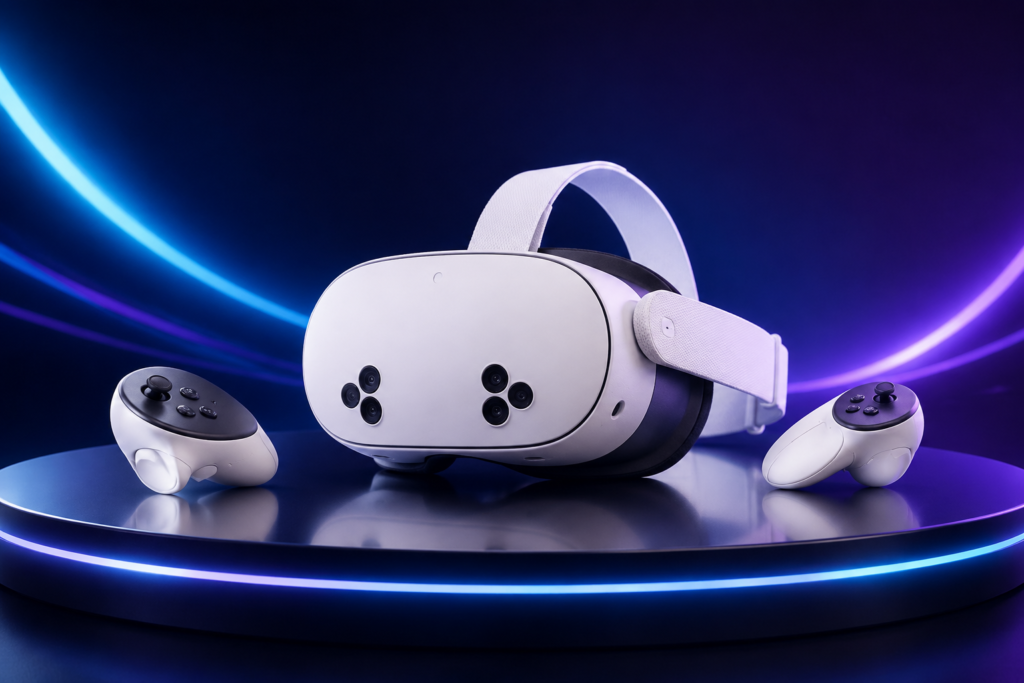
Headset Review • Updated September 2026
Affordable VR without budget performance
Meta Quest 3S delivers the same core processing platform and content library as Quest 3 for less money. The compromise is clear: older Fresnel optics make the image less sharp and the headset less forgiving to position.
Our verdict
4.4 / 5
The best-value entry point into current standalone VR.
Pros
- Quest 3-class performance
- Large, mature game library
- Useful full-colour passthrough
- Strong value when discounted
Cons
- Small optical sweet spot
- Bulkier than Quest 3
- Basic fabric head strap
- No storage expansion
Meta Quest 3S review: quick verdict
The Quest 3S is easy to recommend to newcomers who want modern standalone VR without paying for Meta’s better display system. It runs the same current-generation games as Quest 3, uses the same Snapdragon XR2 Gen 2 platform and includes full-colour passthrough for mixed-reality experiences.
What you lose is optical quality. Quest 3S uses the 1,832 × 1,920-per-eye Fresnel display system associated with Quest 2, while Quest 3 uses sharper pancake lenses and a higher-resolution panel. The 3S can still look good when correctly positioned, but text and details soften more quickly as your eyes move away from the centre.
Bottom line: buy Quest 3S if price matters most. Choose Quest 3 if you expect to use VR frequently, read lots of text in-headset or value a slimmer, clearer design.
Ratings
| Category | Score | Why |
|---|---|---|
| Value | 4.8/5 | Current-generation performance at the lowest Quest entry price. |
| Performance | 4.6/5 | XR2 Gen 2 and 8 GB memory match Quest 3’s core platform. |
| Display & optics | 3.7/5 | Clear in the centre, but Fresnel lenses have a smaller sweet spot. |
| Comfort | 3.8/5 | Usable stock setup; frequent users may want a better strap. |
| Mixed reality | 4.2/5 | Full-colour passthrough enables useful games, fitness and setup features. |
Key specifications
| Processor | Snapdragon XR2 Gen 2 |
|---|---|
| Memory | 8 GB |
| Resolution | 1,832 × 1,920 pixels per eye |
| Optics | Fresnel lenses; three-position IAD adjustment |
| Refresh rates | 72 Hz, 90 Hz and 120 Hz |
| Field of view | 96° horizontal, 90° vertical |
| Storage | 128 GB or 256 GB |
| Passthrough | Full colour, 4 MP / 18 PPD |
| Battery estimate | Around 2.5 hours for general use |
| Controllers | Two Touch Plus controllers; hand tracking supported |
Specifications are based on Meta’s current official Quest headset comparison. Battery life varies with settings, wireless conditions and use.
Design and comfort
Quest 3S keeps the familiar white plastic body and soft fabric strap. Meta describes it as 20% slimmer than Quest 2 when excluding the facial interface, but it is still visibly deeper than Quest 3. The default strap helps keep the purchase price down, though it places more responsibility on the face and can move during active games.
For occasional sessions, the included setup is acceptable. For fitness, long games or shared household use, a rigid replacement strap and wipe-clean facial interface are sensible upgrades. Glasses wearers get a spacer in the box, but prescription lens inserts can be more comfortable and protect the headset lenses.
Display and lenses: the main compromise
The Fresnel lenses are the decisive difference between Quest 3S and Quest 3. Their central image can be sharp, but head position matters and the edges are less clear. The three fixed IAD positions also offer less fine adjustment than Quest 3’s continuous control.
This is most noticeable in menus, web pages, productivity apps and simulation games with small instruments. Fast-moving games and fitness apps can still feel highly immersive. If you are upgrading from Quest 2, the visuals will feel familiar; the larger improvement comes from performance and colour passthrough rather than lens clarity.
Performance and games
Quest 3S shares the Snapdragon XR2 Gen 2 and 8 GB memory used by Quest 3. That matters more than the “budget” name suggests: both headsets access the same current Quest 3/3S content library, and the 3S benefits from the same faster loading, richer environments and improved effects compared with Quest 2.
Touch Plus controllers use ringless tracking and variable haptics, while hand tracking provides controller-free navigation and support in compatible apps. The headset is equally suitable for rhythm games, fitness, social VR, media and room-scale mixed reality.
Need ideas? See our guide to the best VR games in 2026.
Mixed reality and passthrough
The full-colour cameras show your room and allow virtual objects to interact with your real surroundings. The view is designed for orientation, setup and mixed-reality play rather than replacing normal vision, but it is a significant improvement over Quest 2’s monochrome passthrough.
Mixed reality is no longer just a demonstration feature. It supports room-aware games, exercise, large virtual screens and safer transitions between virtual and physical space. Passthrough quality still depends heavily on room lighting, so brighter, even light usually produces the cleanest result.
Battery life and storage
Meta estimates about 2.5 hours of general use from the 4,324 mAh battery. Demanding mixed-reality apps, high brightness and wireless streaming can reduce that figure. The runtime suits most individual sessions, but an optional battery strap is useful for long play or shared demonstrations.
The 128 GB version is enough for a curated library if you do not mind deleting and reinstalling larger games. Choose 256 GB if several people will use the headset, you record video or you want a larger library installed at once. Storage cannot be expanded with a memory card.
Meta Quest 3S vs Quest 3
Both headsets provide the same core performance, memory and software library. Quest 3 earns its premium with 2,064 × 2,208 pixels per eye, pancake lenses, a wider field of view and a slimmer optical system. Those improvements affect every minute you spend in VR, not only high-end games.
Quest 3S wins on initial cost and offers slightly longer official general-use battery life. For a first headset, families or occasional gaming, that trade can make excellent sense. Frequent users should seriously consider paying more for Quest 3’s clearer optics.
Read our full Quest 3 vs Quest 3S comparison.
Who should buy Meta Quest 3S?
- First-time VR buyers who want the current Quest game library.
- Families looking for a capable shared entertainment headset.
- Quest 2 owners who prioritise performance and mixed reality over sharper lenses.
- Fitness and active-game users who may invest the savings in a better strap.
Who should avoid it?
- People who are very sensitive to optical blur or struggle to find a lens sweet spot.
- Frequent simulation, productivity or media users who benefit from sharper text.
- Anyone who values the slimmest headset design over the lowest price.
- Buyers likely to purchase many comfort upgrades immediately—Quest 3 may offer better overall value.
Meta Quest 3S 128GB
Best for: Beginners, families and best value
Key advantage: Current Quest performance and game access for substantially less than Quest 3
Price: £319 at Currys
Currys price checked 4 September 2026. Amazon prices and availability can change; use the Amazon button to check the latest price. The Amazon button is an affiliate link.
Our final verdict
Meta Quest 3S is the strongest affordable gateway into modern standalone VR. Its processor, memory and content access are not cut down; the savings come primarily from older optics and a simpler physical design. That makes the buying decision refreshingly clear.
Choose Quest 3S for value. Choose Quest 3 for clarity and long-term comfort.
Already own one? Our Quest 3S accessories guide covers the comfort and battery upgrades that make the biggest difference.
Affiliate disclosure: Amazon buttons on this page are affiliate links. As an Amazon Associate I earn from qualifying purchases. Currys links remain ordinary retailer links while its affiliate application is pending. Recommendations are chosen independently of commission.