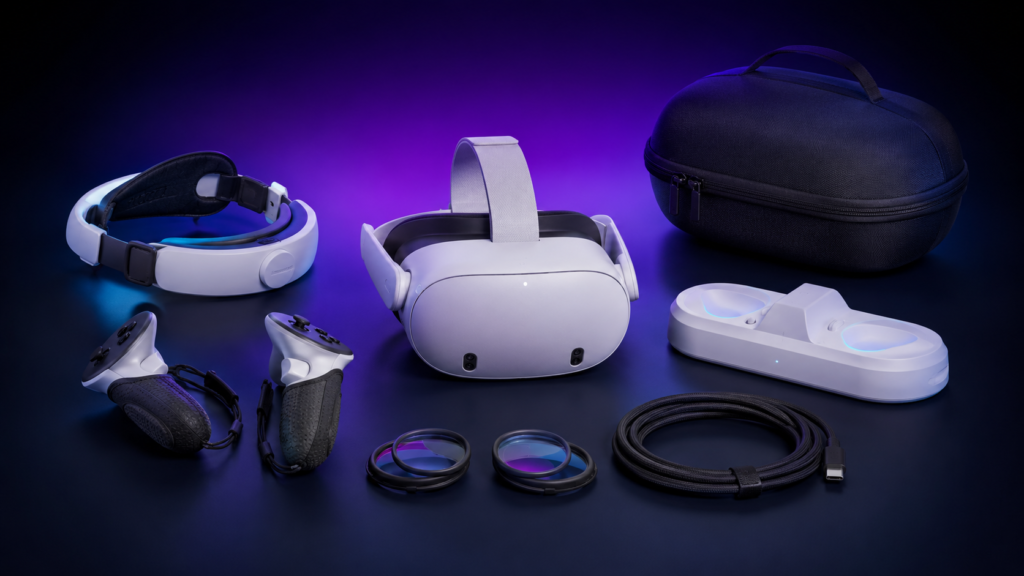
The best Quest accessory is usually a better head strap. After comfort, consider extra battery life, controller grips, lens protection and a case. The right upgrades make VR easier to use; the wrong ones merely give your cupboard a futuristic theme.
Quick recommendations
- Best premium battery strap: BOBOVR S3 Pro
- Best active-gaming battery strap: BOBOVR E3 Pro
- Best-value battery strap: KIWI design K4 Boost
- Best controller grips: KIWI design G4 Pro
- Best for glasses wearers: Zenni prescription lens inserts
- Best first purchases: head strap, case and lens protection
Checked 4 September 2026. Product availability and prices change. This research-led guide uses manufacturer specifications and compatibility information; we do not claim hands-on testing where none has taken place.
Best Quest 3 and 3S accessories at a glance
| Accessory | Best for | Compatibility |
|---|---|---|
| BOBOVR S3 Pro | Premium comfort and battery life | Quest 3 and 3S |
| BOBOVR E3 Pro | Active games and balanced fit | Quest 3 and 3S |
| KIWI K4 Boost | Value battery upgrade | Quest 3 and 3S |
| KIWI G4 Pro grips | Controller security | Quest 3 and 3S Touch Plus |
| Zenni lens inserts | Prescription correction | Buy the exact Quest model |
| Ventilated facial interface | Fitness and hygiene | Model-specific |
| Protective carrying case | Storage and travel | Check strap dimensions |
| USB 3 Link cable | Wired PC VR | Quest 3 and 3S |
1. BOBOVR S3 Pro — best premium battery strap
The S3 Pro replaces the basic fabric strap with a halo-style support system and rear battery. BOBOVR lists a 10,000mAh hot-swappable battery, 20W charging and an adjustable forehead fan. The rear weight can also help counterbalance the headset instead of leaving all the pressure on your face.
It suits longer sessions and households prepared to pay for a substantial upgrade. It is bulkier than a simple strap, and the fan and battery add weight, so players who mainly use fast fitness apps may prefer the lighter E3 Pro. See the official S3 Pro specifications.
BOBOVR S3 Pro
Best for: Premium comfort and longer Quest 3/3S sessions
Key advantage: 10,000mAh swappable battery, counterbalanced fit and adjustable forehead fan
Price: $89.99 direct from BOBOVR
Price checked 4 September 2026. UK buyers should confirm currency conversion, VAT, delivery and any import costs. This is currently an ordinary retailer link.
2. BOBOVR E3 Pro — best for active VR
The E3 Pro is an official Made for Meta accessory designed for Quest 3 and 3S. It combines a lower-profile strap with a 10,000mAh hot-swappable battery system. Its more compact shape makes it appealing for rhythm, boxing and fitness titles where a large halo strap can feel cumbersome.
Choose it when secure movement matters more than maximum forehead support. As with every battery strap, check that any carrying case has enough depth for the rear assembly. Details are available on the official E3 Pro page.
3. KIWI design K4 Boost — best-value battery strap
KIWI design’s K4 Boost is a conventional rigid battery strap for Quest 3 and 3S. It is a sensible alternative for buyers who want extra play time and a firmer adjustment system without moving to the larger S3 Pro design.
The important choice is not simply battery capacity: consider how the strap sits against your head, whether you play seated or standing, and whether it fits your chosen case. KIWI maintains a dedicated Quest 3 and 3S accessories range.
4. KIWI design G4 Pro — best controller grips
Controller grips add adjustable knuckle straps so you can relax your hands without dropping the Touch Plus controllers. The G4 Pro uses tracking-friendly translucent silicone and padded adjustable straps, and is listed as Made for Meta.
They are especially useful for Beat Saber, boxing and games with repeated throwing motions. Fit them carefully so covers do not obstruct tracking areas or buttons. See the official G4 Pro product information.
5. Zenni lens inserts — best for glasses wearers
Prescription inserts sit over the headset lenses and can be more comfortable than wearing glasses inside VR. They also reduce the risk of spectacle lenses rubbing against the headset optics. Zenni’s Quest inserts include anti-scratch and anti-reflective coatings, with different products for Quest 3 and Quest 3S.
This is one category where exact compatibility is essential: Quest 3 and Quest 3S use different optical systems. Order from the page for your exact headset and verify your current prescription. UK buyers can check the official Quest 3 lens page or the dedicated Quest 3S version.
6. A ventilated facial interface — best for fitness
A wipe-clean or ventilated facial interface is useful when several people share a headset or when exercise sessions generate heat and moisture. Look for removable pads, airflow that does not create distracting light leakage, and materials that feel comfortable against your skin.
Compatibility warning: Quest 3 and Quest 3S facial interfaces are not interchangeable. Camera layouts and headset shapes differ, so buy the version explicitly listed for your model.
7. A protective carrying case — best everyday essential
A structured case protects the lenses from sunlight, dust and accidental knocks. Choose one with separate controller storage and a soft interior. If you use a battery or halo strap, check the internal dimensions: cases designed for the original fabric strap can be too shallow.
Never leave the lenses facing direct sunlight, even through a window. The optics can focus sunlight onto the display and cause permanent damage surprisingly quickly.
8. A quality USB 3 Link cable — best for wired PC VR
A Link cable lets a compatible gaming PC run PC VR software through the headset. Look for USB 3 data support, sufficient length for your play area and a right-angled headset connector. Some cables include a separate charging input to slow battery drain during long sessions.
A cheap charging-only cable will not do the job. Check your computer’s USB port, graphics hardware and Meta Quest Link requirements before buying. Wireless PC VR may be more convenient when your home network is strong.
9. Charging docks — convenient, but check the small print
A dock gives the headset and controllers a regular home, which makes VR more likely to be charged when you want it. However, docks can conflict with controller grips, third-party facial interfaces and battery straps. Confirm the entire combination is supported rather than checking the headset alone.
What should you buy first?
- Improve comfort: replace the original strap if pressure or slipping bothers you.
- Protect the lenses: use inserts or suitable spacers and store the headset away from sunlight.
- Add play time only if needed: a battery strap is valuable for long sessions but unnecessary for brief use.
- Choose activity-specific extras: grips for active play, a facial interface for fitness, or a cable for PC VR.
Compatibility checklist
- Is the accessory specifically listed for Quest 3, Quest 3S or both?
- Will the strap fit inside the carrying case?
- Will grips still work with the charging dock?
- Does a facial interface leave enough room for lens inserts?
- Does a cable support USB 3 data rather than charging only?
- Does the manufacturer provide a clear warranty and UK delivery information?
Still choosing a headset? Read our best VR headsets guide, Meta Quest 3 review and Quest 3 vs Quest 3S comparison.
Our verdict
Start with comfort, not a trolley full of plastic. A well-fitting head strap improves nearly every VR session. Add controller grips for active games, prescription inserts if you wear glasses and a case to protect the equipment. Battery systems and charging docks are worthwhile when they solve a real inconvenience—and when the entire accessory combination is compatible.
Retailer disclosure: Shopping links on this page are currently ordinary links. If affiliate tracking is added later, the disclosure will be updated before those links are used. Recommendations are chosen independently of commission.