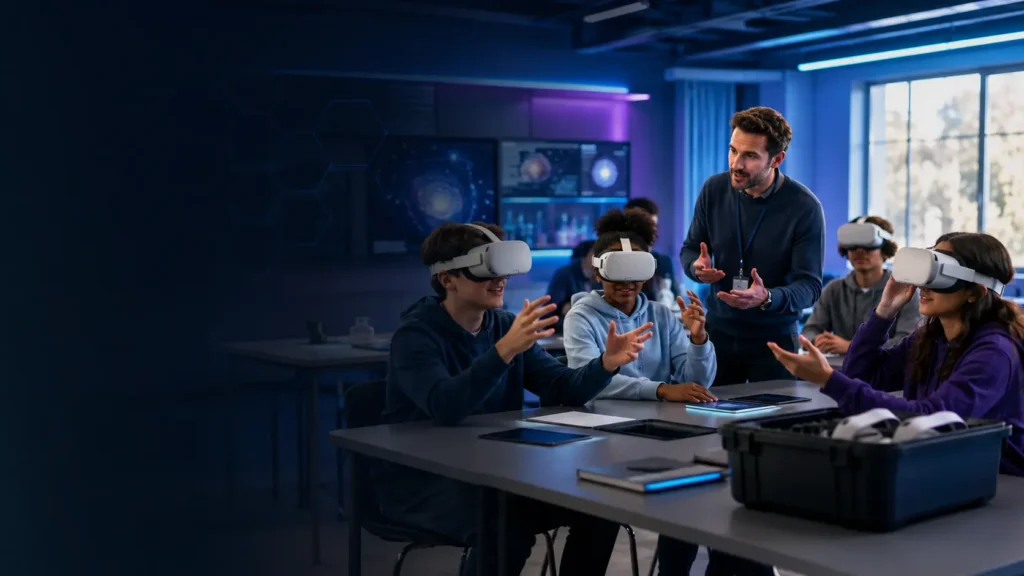
Updated September 2026. Virtual reality can let pupils examine a human heart, walk through a historical site, practise a dangerous procedure safely or explore a place that a school trip could never reach. The technology can be powerful, but buying headsets is the easy part. Successful classroom VR depends on clear learning goals, suitable content, safe supervision, reliable device management and a realistic plan for staff time.
This guide is for UK schools, colleges, multi-academy trusts and training departments considering a small pilot or a shared set of headsets. It explains what to plan, what to ask suppliers and how to avoid an expensive cupboard full of impressive equipment that nobody feels confident using.
VR in education: the quick answer
| Question | Practical answer |
|---|---|
| How should a school begin? | Run a supervised pilot with a clear curriculum objective, a small user group and named staff ownership. |
| How many headsets are needed? | Four to six can test the idea; a larger shared set can support rotation-based lessons. |
| What matters most? | Useful content, simple management, staff training, hygiene, accessibility and dependable support. |
| Should pupils use personal accounts? | Usually avoid unmanaged personal accounts; use an education or enterprise management arrangement approved by the school. |
| Is VR suitable for every pupil? | No. Provide alternatives and consider age guidance, SEND, visual or balance conditions, anxiety and motion sensitivity. |
| What should happen before purchase? | Complete educational, technical, safeguarding, privacy, accessibility and procurement checks. |
Start with the lesson, not the headset
A VR project should solve a teaching problem or provide an experience that other resources cannot deliver as effectively. “We want to use VR” is not a learning objective. “We want Year 10 biology pupils to identify the structures of the heart in three dimensions” is much easier to plan and evaluate.
Strong classroom uses often fall into five categories:
- Visualising scale and space: anatomy, molecules, planets, buildings and engineering systems.
- Visiting inaccessible places: historical sites, museums, habitats and geographical environments.
- Safe skills practice: laboratories, construction, healthcare, machinery and emergency scenarios.
- Design and creativity: three-dimensional modelling, art, architecture and product development.
- Communication and reflection: role-play, language practice and carefully designed perspective-taking activities.
VR should add something meaningful rather than replacing a good explanation, physical practical task or ordinary video. A ten-minute focused activity followed by discussion can produce more value than leaving pupils inside a headset for an entire lesson.
A sensible way to begin: the six-headset pilot
For many settings, a small shared pilot is safer than purchasing a full class set immediately. Six headsets can be used at stations while other pupils complete related tasks, allowing staff to test content, supervision and turnaround time without redesigning the whole timetable.
| Pilot stage | Action | Evidence to collect |
|---|---|---|
| 1. Define | Choose one subject, topic and pupil group | What learning problem should VR improve? |
| 2. Check | Review content, privacy, safeguarding and accessibility | Approvals, supplier answers and risk controls |
| 3. Prepare | Configure devices, train staff and rehearse the lesson | Setup time, connection reliability and staff confidence |
| 4. Deliver | Run short supervised sessions with an alternative activity | Pupil feedback, incidents and technical issues |
| 5. Evaluate | Compare outcomes with the original objective | Work produced, assessment evidence and teacher judgement |
| 6. Decide | Improve, expand, change supplier or stop | Benefits, total cost and workload |
A pilot is successful when it gives the school enough evidence to make a sensible decision. That decision may be to expand, but it is equally legitimate to conclude that the content or workload does not yet justify further spending.
What equipment does a school need?
VR headsets
Standalone headsets are normally easier to deploy than PC-connected systems because each device contains its own processor and does not need an individual gaming computer. Look for clear lenses, adjustable fit, replaceable or wipeable facial interfaces, straightforward charging and a managed education or enterprise option.
Higher-resolution PCVR headsets may suit universities, engineering departments and specialist simulation labs, but the computers, cables and tracking system substantially increase cost and support work.
Device management
Managing ten headsets one by one quickly becomes a nuisance. A suitable management platform should let authorised staff configure devices, deploy approved applications, control updates, manage Wi-Fi settings and apply policies without using personal pupil accounts.
Meta for Education, for example, provides access to managed solutions for education on compatible Quest devices. It is one option rather than an automatic recommendation; schools should compare contractual terms, data handling, content, support and total cost with other education-focused systems.
Read Meta’s information about its education offering
Charging and storage
A secure charging cabinet or controlled storage area should keep headsets numbered, charged and protected. Confirm electrical capacity, ventilation, cable arrangement and whether the cabinet can charge everything safely at once. Assign responsibility for checking devices before and after lessons.
Hygiene equipment
Shared headsets need wipeable interfaces and a cleaning method approved by the equipment manufacturer. Do not spray liquid directly onto lenses or electronics. Provide clean hands, suitable wipes, replacement face interfaces and enough turnaround time between users.
Network and casting
Some applications need internet access, licensing checks or content downloads. Teachers may also need to cast a pupil’s view to a screen for guidance and supervision. Test the school’s wireless coverage, filtering, firewall rules and available bandwidth in the actual teaching room before ordering a large fleet.
Planning the real cost
The visible headset price is only one line in the budget. Ask suppliers for a complete three-year cost that separates hardware, management licences, educational content, protective accessories, charging, storage, warranty, training and support.
| Cost area | Questions to ask |
|---|---|
| Headsets | What storage capacity, warranty and replacement process are included? |
| Management platform | Is pricing per device, per user or per year? What happens when the subscription ends? |
| Content | Is content included, licensed separately or charged by subject and pupil number? |
| Accessories | Are durable straps, cases, wipeable interfaces and prescription options required? |
| Charging and storage | Does the quote include a secure cabinet, cables and electrical requirements? |
| Training | Is initial and refresher training included for teaching and IT staff? |
| Support | What are the response times, return arrangements and loan-device provisions? |
| Staff time | Who prepares lessons, updates devices, cleans equipment and records issues? |
Request prices excluding and including VAT, check education discounts and compare like with like. A low initial price can become expensive when management, content and support are added later.
Safeguarding and online safety
A headset can obscure the pupil’s view of the room and may provide access to online content, communication features, cameras or user-generated environments. The school’s designated safeguarding lead, IT team and senior leadership should therefore be involved before deployment.
- Use an approved list of applications and experiences.
- Disable unnecessary social, messaging, browser and purchasing functions where possible.
- Supervise sessions and maintain awareness of what each pupil can access.
- Use casting or teacher controls when appropriate and proportionate.
- Check age ratings and the manufacturer’s current age guidance.
- Plan how a pupil can stop immediately and attract the teacher’s attention.
- Record and review incidents, near misses and unsuitable content.
The Department for Education says schools and colleges should provide a safe digital environment with appropriate filtering and monitoring, with technical staff working alongside senior leaders and the designated safeguarding lead. VR devices and applications should be included in that wider review rather than treated as an isolated gadget.
Read the Department for Education filtering and monitoring standard
Data protection and pupil accounts
Before creating accounts or sharing pupil information, establish what personal data the headset, management platform and applications collect. Depending on the system, this might include names, email addresses, device identifiers, usage records, voice, interactions, movement or camera information.
The school should involve its data protection officer and document:
- the purpose and lawful basis for processing;
- which organisations receive or process the data;
- where information is stored and transferred;
- retention and deletion arrangements;
- whether profiling, advertising or optional social features are present;
- how pupil and parent information will be provided;
- whether a data protection impact assessment is required;
- what happens to accounts and data when a contract ends.
A supplier saying that its system is “GDPR compliant” is not the end of the assessment. The school remains responsible for understanding how the proposed use fits its own obligations and policies.
Read the Department for Education’s data-protection guidance for schools
Accessibility and inclusion
VR will not be suitable for every learner or every activity. Some pupils may be unable to wear a headset comfortably, see stereoscopic content, use handheld controllers or tolerate simulated movement. Others may find the isolation or sensory intensity distressing.
Plan an equivalent alternative rather than treating it as a punishment for opting out. Useful adjustments may include seated experiences, shorter sessions, simplified controls, captions, audio description, a mirrored screen, physical models or working with a partner.
Include pupils with SEND in the planning process and ask suppliers to demonstrate accessibility controls using the exact applications the school intends to deploy. A feature list is less valuable than watching a pupil and teacher complete the real task.
Physical safety and comfort
- Clear the operating area of furniture, bags and cables.
- Use seated experiences where standing or movement adds no educational benefit.
- Check straps and boundaries for each pupil rather than relying on the previous user’s setup.
- Begin with short sessions and increase only when appropriate.
- Avoid forced movement and intense experiences for new users.
- Stop immediately if a pupil reports nausea, dizziness, headache, eye discomfort or anxiety.
- Follow manufacturer guidance and consider relevant individual health needs.
A member of staff should remain able to intervene safely without startling or grabbing a pupil who cannot see them. Explain the room layout and stop procedure before the headset goes on.
How to run a VR lesson
Before the lesson
- Charge, update and test every device.
- Open the correct application and remove unrelated choices.
- Check casting, audio and network access.
- Prepare cleaning materials and numbered headsets.
- Brief support staff and prepare the non-VR activity.
During the lesson
- Explain the learning objective and safety rules before distributing headsets.
- Use short rotations with a clear start and stop signal.
- Observe pupils rather than assuming the application is behaving as expected.
- Connect the experience to questions, notes, discussion or a practical task.
After the lesson
- Clean, inspect and recharge equipment.
- Record faults, discomfort and safeguarding issues.
- Collect evidence of learning, not only whether pupils enjoyed it.
- Adjust the activity before another class uses it.
Questions to ask every VR education supplier
- Can you demonstrate the exact curriculum content on the proposed hardware?
- What personal data is collected, and can the system work without individual pupil accounts?
- How are applications, updates, Wi-Fi and device policies managed centrally?
- Which online, social, browser, camera and purchasing features can administrators disable?
- What are the age guidance, accessibility options and health warnings?
- What happens if the internet connection fails during a lesson?
- How long are hardware, software and security updates supported?
- What training and UK-based support are included?
- What is the complete three-year cost?
- How are data, licences and devices handled when the contract ends?
Should your school invest in VR?
VR is worth considering when it supports a defined learning outcome that is difficult, dangerous, expensive or impossible to reproduce conventionally. It is less convincing when it merely turns ordinary video or worksheets into a more complicated delivery method.
Begin small, evaluate honestly and expand only when staff can demonstrate educational value and manageable workload. The strongest project is not necessarily the school with the most headsets; it is the one where teachers know exactly why and when to use them.
Final checklist
- Named educational objective and project owner
- Approved applications and age-appropriate content
- Safeguarding, filtering and monitoring review
- Data-protection assessment and supplier checks
- Accessibility plan and equivalent alternative activity
- Risk assessment, supervision and stop procedure
- Managed accounts and central device controls
- Secure charging, storage and cleaning process
- Staff training and technical support
- Pilot evaluation before wider purchasing
Explore more practical VR education guides or visit our VR for business section.
Editorial note: UK guidance and supplier information were checked in September 2026. Policies, product terms, prices and age guidance can change. Schools should complete their own safeguarding, data-protection, accessibility, technical and procurement assessments. This article is general information, not legal advice, and contains no paid placement.