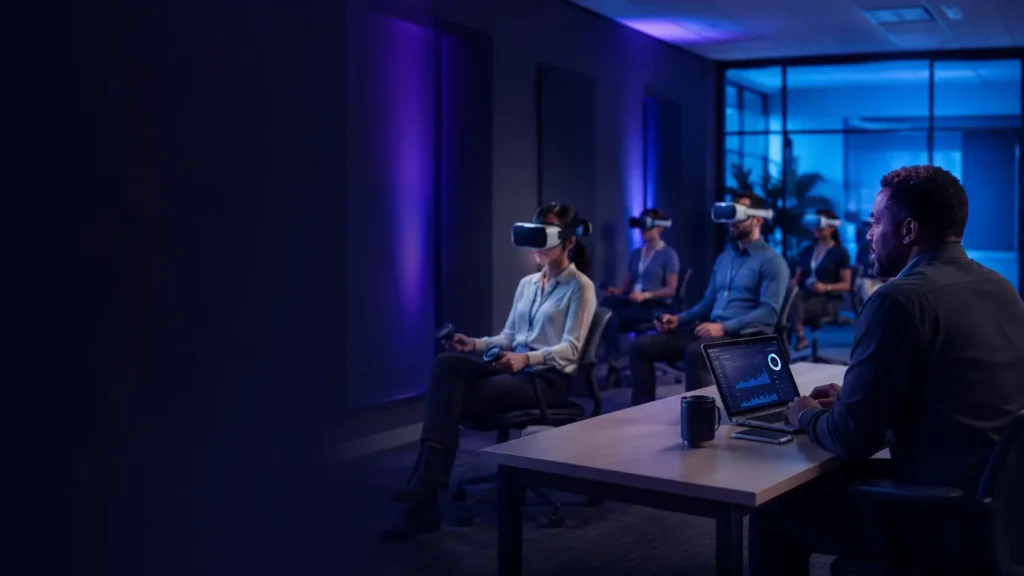
Updated September 2026. Virtual reality can help organisations practise hazardous tasks, rehearse emergencies, review designs and train people without taking equipment or facilities out of service. But a successful business VR project is not simply a matter of buying headsets. It needs a defined operational problem, suitable content, safe delivery, managed devices, privacy controls and evidence that the result is worth the cost.
This guide is for UK employers, training organisations, public bodies and small businesses considering virtual reality for training, design, demonstrations or collaboration. It explains how to plan a sensible pilot, what to ask suppliers and how to avoid an expensive collection of headsets that quietly becomes office archaeology.
VR for business: the quick answer
| Question | Practical answer |
|---|---|
| Where does business VR work best? | Tasks that are hazardous, expensive, difficult to reproduce, spatial or improved by repeated practice. |
| How should an organisation begin? | Choose one measurable use case and run a small supervised pilot with a defined owner. |
| What equipment is required? | Headsets, managed accounts, suitable software, secure storage, charging, hygiene supplies and reliable support. |
| Does VR replace practical training? | Usually not. Treat it as one part of a wider programme and retain competent instruction, supervision and assessment. |
| What are the main hidden risks? | Poor content, staff resistance, privacy issues, motion discomfort, unmanaged devices and recurring licence costs. |
| How should success be measured? | Compare competence, errors, training time, travel, downtime and total cost against the existing method. |
Start with a business problem, not a headset
“We want to use VR” is not a useful project brief. A better starting point is a specific problem such as reducing the cost of refresher training, allowing staff to rehearse a rare emergency, improving confidence before entering a hazardous area or helping clients understand a proposed design.
A strong use case normally has at least one of these characteristics:
- Real-world practice is hazardous: working at height, isolating equipment, emergency response or handling dangerous materials.
- Physical training is expensive: machinery, vehicles, production lines or specialist facilities must otherwise be stopped or reserved.
- The event is rare: staff need to rehearse an incident that cannot be staged frequently or safely.
- Spatial understanding matters: designs, buildings, products and workflows are easier to judge at full scale.
- Repetition improves performance: learners can repeat a procedure consistently without consuming materials.
- People are distributed: teams or customers need a shared three-dimensional demonstration without travelling.
VR is less convincing when an ordinary video, desktop simulation, physical demonstration or supervised practical exercise teaches the same thing more simply. The technology should remove a real constraint rather than add an impressive-looking one.
Common business uses
| Use | Potential benefit | Important limitation |
|---|---|---|
| Safety and emergency training | Repeatable exposure to hazardous or unusual scenarios | A simulation does not remove the need for competent instruction and real procedures |
| Technical skills | Practice sequences before using costly machinery or equipment | Controllers may not reproduce weight, resistance or fine motor skills |
| Onboarding | Consistent introduction to sites, processes and workplace expectations | Content must remain current when workplaces or procedures change |
| Design review | Experience scale, access and layout before construction or manufacture | The model is only as reliable as its source data |
| Sales and demonstrations | Show large, remote or unfinished products at exhibitions and client meetings | Setup, cleaning and staff assistance still affect the customer experience |
| Soft-skills practice | Rehearse conversations and decisions in controlled scenarios | Automated scores need careful validation and should not become unjustified employee profiling |
A sensible first step: the small pilot
Begin with one department, one use case and a small group of learners. A pilot using two to six headsets is often enough to test content, supervision, device management and staff acceptance before a larger commitment.
| Stage | Action | Evidence to collect |
|---|---|---|
| 1. Define | Write the operational problem and desired outcome | Baseline cost, errors, time or competence |
| 2. Select | Compare content, hardware and supplier support | Requirements and scored demonstrations |
| 3. Assess | Review safety, privacy, accessibility and security | Risk assessment, privacy decision and controls |
| 4. Prepare | Configure devices and train instructors | Setup time, reliability and staff confidence |
| 5. Deliver | Run supervised sessions with an alternative route | Completion, discomfort, faults and learner feedback |
| 6. Evaluate | Compare results with the existing method | Competence, retention, costs and operational impact |
| 7. Decide | Improve, expand, change supplier or stop | A documented decision based on evidence |
Agree success measures before the first enthusiastic participant puts on a headset. Otherwise, a pilot can be declared successful merely because people enjoyed it.
Equipment and device management
Standalone or PC-connected headsets?
Standalone headsets are usually easier to deploy because each device contains its own processor. They reduce cabling and computer requirements and are well suited to mobile training, onboarding and demonstrations. PC-connected headsets can provide higher visual quality and more complex simulation, but require capable computers, suitable connections and greater technical support.
Assess comfort, lens clarity, adjustable fit, glasses compatibility, controller design, replaceable face interfaces, warranty, repair arrangements and the expected software-support period. The cheapest consumer bundle may be poor value if the organisation cannot manage it centrally or obtain business support.
Central management
A business fleet should not depend on personal employee accounts. Look for an enterprise or managed-device service that allows authorised administrators to deploy applications, configure Wi-Fi, control updates, apply security policies, assign devices and remotely remove business data.
Ask what happens when the management subscription ends. Confirm whether devices remain usable, which settings are lost, how licences are reassigned and how data is exported or deleted when the contract finishes.
Charging, storage and hygiene
Number each device and keep it in secure, ventilated storage with controlled charging. Use wipeable or replaceable facial interfaces and follow the manufacturer’s cleaning instructions. Do not spray liquid directly onto lenses or electronics. Build cleaning and inspection time into the schedule rather than assuming headsets can move instantly between users.
Health, safety and competence
VR equipment introduces physical hazards such as restricted vision, collisions, trailing cables, loss of balance, motion discomfort and anxiety. Clear the operating area, define safe boundaries, consider seated experiences and explain an immediate stop procedure. A supervisor should remain able to intervene without startling a user who cannot see the room.
Employers should include the activity in their normal risk-management process and consider individual needs. Begin with short sessions and stop if a user experiences nausea, dizziness, headache, eye discomfort or distress.
The Health and Safety Executive says employers must provide workers with clear information, adequate training and supervision. It also explains that competence combines training, skills, experience and knowledge. VR can support these duties, but completing a simulation is not automatically proof that someone is competent to perform the real task.
Read HSE guidance on information, training and supervision
Read HSE guidance on competence
Read HSE guidance on workplace risk assessment
Employee privacy and data protection
Headsets and training platforms may process names, account details, voice, movement, gaze direction, performance scores, recordings, device identifiers and usage logs. Before purchase, establish exactly what is collected, why it is needed, who receives it, where it is stored and how long it is retained.
Involve the organisation’s data-protection lead and document:
- the purpose and lawful basis for processing;
- whether less intrusive data could achieve the same purpose;
- which supplier and subcontractors process the information;
- international data transfers and contractual safeguards;
- retention, access, correction and deletion arrangements;
- whether data will influence appraisal, discipline or employment decisions;
- what workers will be told before taking part;
- whether a data protection impact assessment is required.
The Information Commissioner’s Office says worker monitoring must be lawful and fair. A data protection impact assessment helps identify and minimise privacy risks and is required where processing is likely to create a high risk to individuals. Be particularly cautious with automated scoring, behavioural analysis, voice recordings or features that could be interpreted as monitoring performance.
Read the ICO guidance on monitoring workers
Read the ICO guidance on data protection impact assessments
Security and business continuity
- Use organisation-controlled accounts and multi-factor authentication where supported.
- Restrict installation, purchasing, web browsing, social features and developer modes.
- Keep headsets, applications and management software supported and updated.
- Separate administrator privileges from everyday instructor access.
- Record device ownership, location, serial numbers and assigned users.
- Plan for lost devices, leavers, compromised accounts and supplier outages.
- Check whether training can continue when internet access or a licensing service fails.
- Require suppliers to explain breach notification, backups and data deletion.
Treat headsets as managed business endpoints, not entertainment devices that happen to live in the training cupboard.
Accessibility and employee choice
VR will not be suitable for every worker. Some people may be unable to wear a headset comfortably, see stereoscopic content, use handheld controllers, stand for the session or tolerate simulated movement. Others may find isolation or sensory intensity distressing.
Provide an equivalent alternative and avoid disadvantaging someone who cannot or should not use VR. Useful adjustments can include seated mode, shorter sessions, captions, simplified controls, a mirrored display, physical controls, instructor assistance or a conventional version of the activity. Test accessibility using the exact application rather than relying on a supplier’s general feature list.
Planning the full three-year cost
The headset price is only the visible part of the budget. Ask for a three-year total that separates capital purchases from recurring subscriptions and internal staff time.
| Cost area | Questions to ask |
|---|---|
| Hardware | Which headset, computer, controller, audio and replacement parts are included? |
| Software | Is pricing per device, learner, instructor, location or year? |
| Management | Is central device management a separate recurring licence? |
| Content creation | Who owns custom content and what do future changes cost? |
| Storage and charging | Are cases, cabinets, cables, ventilation and electrical work included? |
| Training and support | What onboarding, instructor training, response times and replacement service are provided? |
| Internal time | Who schedules, updates, cleans, supervises and reports on sessions? |
| Refresh and exit | When will hardware need replacing and how can data and content move to another supplier? |
Request prices excluding and including VAT and compare proposals on the same learner numbers, session frequency and contract term. A low initial quote can become expensive once content, management and support are added.
How to measure return on investment
Compare the VR pilot with the current method. Useful measures include:
- instructor and learner hours;
- travel, accommodation and venue costs;
- equipment downtime and consumable materials;
- time to demonstrate competence;
- assessment results and retention after an agreed period;
- errors, near misses or rework;
- technical failures and abandoned sessions;
- staff confidence and willingness to use the system again.
A simple calculation is:
Annual net benefit = avoided existing costs + measured operational benefit − annual VR running costs.
Payback period = initial project cost ÷ annual net benefit.
Do not convert every possible benefit into optimistic cash savings. Record hard savings separately from softer benefits such as confidence, engagement and access to otherwise impossible scenarios. Decision-makers should be able to see which assumptions are proven and which are estimates.
Questions to ask every supplier
- Can you demonstrate the exact use case with the proposed hardware and software?
- What evidence shows that the programme improves the intended outcome?
- Which parts of the system require an internet connection?
- How are devices, users, applications and updates managed centrally?
- What personal data and telemetry are collected, and can unnecessary collection be disabled?
- Who owns custom content, performance records and created assets?
- What accessibility options and alternative delivery methods are available?
- What safety guidance, instructor training and incident procedures are included?
- How long will the hardware and software receive security updates?
- What are the complete three-year costs and contract-exit arrangements?
- What happens if the supplier changes strategy, pricing or closes the service?
- Can the organisation run a paid pilot before making a fleet commitment?
Final implementation checklist
- Named business problem, owner and measurable baseline
- One defined pilot use case and user group
- Content demonstrated and assessed against the real task
- Health-and-safety risk assessment and supervision plan
- Privacy review, worker information and DPIA screening
- Accessibility adjustments and equivalent alternative route
- Organisation-controlled accounts and device management
- Secure charging, storage, cleaning and fault reporting
- Instructor training and technical support
- Three-year cost, success measures and exit plan
Should your organisation invest in VR?
VR is worth testing when it provides safe repetition, removes a significant practical cost or makes a complex spatial task easier to understand. It should be treated with more scepticism when the proposed benefit is simply greater excitement or when suppliers cannot explain data handling, recurring costs and measurable outcomes.
Start small, compare the results honestly and expand only when the evidence supports it. The best business VR project is not the one with the most headsets; it is the one that solves a defined problem without creating three new ones.
Explore more VR for business guidance or visit our VR education section.
Editorial note: UK guidance and supplier information were checked in September 2026. Laws, guidance, contracts, prices and product support can change. Organisations should complete their own legal, safety, privacy, accessibility, technical and procurement assessments. This article is general information, not legal or professional advice, and contains no paid placement.